
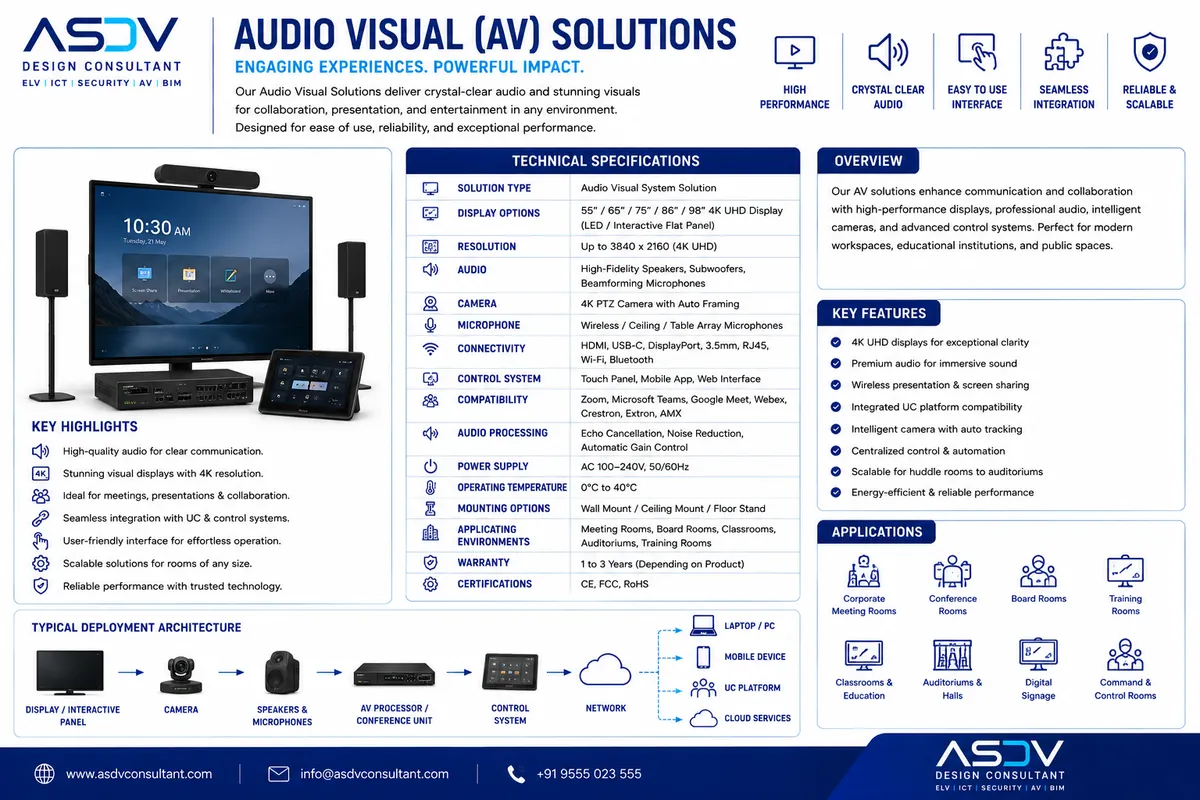
The single biggest driver of meeting room technology adoption failure is inconsistency — a user who successfully starts a video call in one room and then struggles for five minutes in a different room on the same floor because the hardware, software, or control interface is subtly different. Certified Microsoft Teams Rooms (MTR) and Zoom Rooms solve this by defining a standardized, vendor-certified hardware and software reference architecture that behaves identically whether deployed in a two-person huddle room or a 40-person town hall.
Certification matters because it guarantees the camera, microphone, speaker, compute unit, and touch controller have been validated together by Microsoft or Zoom against a defined performance and reliability bar — removing the integration risk of assembling a video conferencing room from unvalidated component combinations.
Teams Rooms vs. Zoom Rooms Certified Hardware Tiers
| Room Tier | Capacity | Typical Certified Hardware | Compute | Control Interface |
|---|---|---|---|---|
| Huddle / Focus Room | 2–4 people | Logitech Rally Bar, Yealink MeetingBar | MTR/Zoom Rooms Appliance (all-in-one) | 7" touch console or in-bar controls |
| Small/Medium Room | 4–8 people | Poly Studio X, Logitech Rally Bar Mini | MTR Windows/Android or Zoom Appliance | 10" touch console |
| Large Conference Room | 8–16 people | Poly G7500 + EagleEye, Yealink UVC86 + MVC | Dedicated Windows/Android compute | Crestron/Poly touch controller |
| Board Room / Town Hall | 16–40+ people | Multi-camera AI switching, ceiling mic arrays | Dedicated high-performance compute | Crestron/Extron integrated control panel |
Technical Design: Certified UC Room Standardization
- Room standardization matrix: ASDV defines 4–6 standard room "kits" (huddle, small, medium, large, boardroom, town hall) with fixed certified hardware bill-of-materials per tier, dramatically simplifying procurement, deployment, and support across a multi-building portfolio
- One-touch join: Calendar integration (Exchange/Google Workspace) surfaces scheduled meetings directly on the room touch panel; a single tap joins the Teams or Zoom meeting without manual dialing, meeting ID entry, or credential input
- Automatic participant framing: AI-driven camera framing (Intelligent/Director mode) automatically detects and frames individual speakers or the full room, eliminating the need for manual camera control during meetings
- Content sharing pathways: Wireless (via native app/AirPlay/cast) and wired (HDMI/USB-C) content sharing are both supported natively within certified MTR/Zoom Rooms software, without requiring a separate wireless presentation puck in most configurations
- Centralized device management: Microsoft Teams Admin Center and Zoom Device Management provide fleet-wide monitoring, remote firmware updates, and proactive health alerting across every certified room, typically integrated with the facilities helpdesk ticketing system
- Interoperability: Both platforms support cross-platform meeting join (Teams Rooms joining Zoom meetings and vice versa via native or third-party interoperability), critical for organizations engaging external partners on different UC platforms
- Network & QoS design: Certified rooms require dedicated bandwidth allocation and QoS tagging for real-time media traffic, sized per concurrent room usage and codec bitrate requirements specified by Microsoft/Zoom bandwidth guidelines
Autonomous Meeting Facilitation
Certified UC rooms will evolve from passive video/audio conduits into active meeting facilitators — AI co-pilots natively embedded in the room hardware will manage time-boxing of agenda items, flag when a discussion has drifted off-topic, automatically surface relevant documents referenced in conversation, and generate real-time visual summaries on the room display without any participant needing to operate a laptop. The room itself becomes a participant in optimizing the meeting, not merely a venue for one.